Best Period Tracker App for PMS and PMDD: How To Choose
Choose a PMS and PMDD period tracker app for mood logs, symptom timing, severity, daily impact, privacy, and appointment prep.
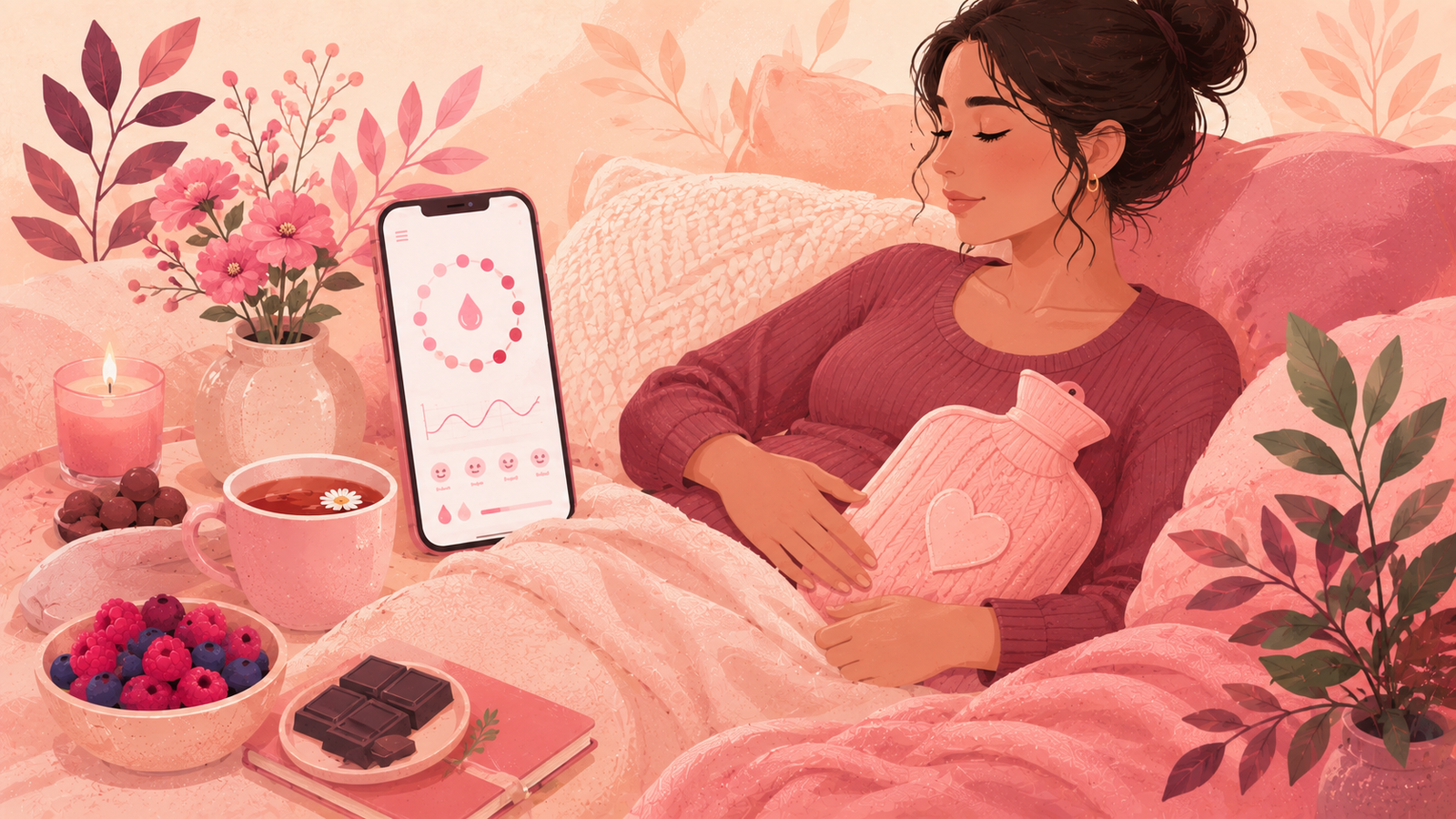
If the days before your period feel like a different chapter of your life, a period tracker is not just a calendar. It is a way to give shape to something that often feels shapeless. Choosing the best period tracker app for PMS and PMDD means looking past pretty screens and asking one honest question. Does this app help you see the pattern behind how you feel, or does it only count the days.
Most cycle apps are built for prediction. The best ones for premenstrual symptoms are built for noticing. They help you connect what you feel in the second half of your cycle to the days when your body is winding up for a period. That timing matters. Without it, PMS symptoms look random. With it, they start to look like a rhythm you can plan around.
This guide is for anyone comparing options right now, whether the goal is to understand a mildly rough week each month or to keep careful notes for a possible PMDD conversation. It walks through what to log, what to look for in an app, and how to test any tracker across a single cycle before committing.
Why This Choice Matters
It is easy to install a period app and forget you have it. That is fine when tracking is only a countdown to the next cycle. It is a different story when the days before your period regularly derail your work, sleep, relationships, or sense of self. In that case the tracker becomes a health tool, not just a reminder.
Premenstrual patterns often go unnamed for years. People describe a bad week as stress, poor sleep, or something they should have handled better. When those weeks arrive at the same phase of the cycle every month, the pattern is often more physiological than personal. That is where a good tracker helps. It gives you a way to test the theory over time without needing perfect memory.
A well fitted tracker can also protect you from a common trap. When each cycle feels new and unpredictable, it is easy to blame yourself for how a week goes. When the same rough window shows up in the same phase across three or four cycles, self blame usually eases. The pattern is not you failing. It is your body doing something that follows a rhythm you can now see.
What Makes PMS and PMDD Tracking Different
General cycle apps are good at counting days. Apps designed with premenstrual symptoms in mind pay attention to three things that matter more than the count.
The Mood Signal
Most premenstrual patterns show up first in mood. Irritability, sadness, tearfulness, and a shorter fuse tend to arrive in the second half of the cycle and lift once bleeding starts. A tracker that lets you log mood at least once a day, ideally with a simple rating scale, will pick this up faster than one that only tracks physical symptoms.
The Timing Signal
Symptoms alone are not the story. The story is when they appear in your cycle. PMS and PMDD both live in the luteal phase, the stretch after ovulation and before the next period. If an app can show your symptoms on the same view as your cycle phases, patterns get much easier to see. If it cannot, you end up doing the math in your head every month.
The Severity Signal
A checkbox is not always enough. Two people can both check the box for anxiety, but if one feels a light unease in the afternoon and the other is anxious to the point of missing work, they are describing very different experiences. Tools that use a light severity rating, for example one to five, give you a real record of intensity rather than a yes or no diary.
Features That Actually Help
Feature lists on app store pages can look interchangeable. When you narrow the lens to premenstrual tracking, a smaller set of features starts to stand out.
Daily Mood Logging
Look for apps that let you log mood in seconds, not minutes. If it takes more than three taps or requires long forms, most people stop by day four. Fast entry beats detailed entry when you are already tired.
Symptom Timeline Views
A timeline that shows symptoms across the whole cycle is more useful than a monthly calendar with icons. It helps you see how a rough week compares to the previous rough week, and whether the pattern is drifting earlier or later.
Custom Symptoms
Preset symptom lists tend to focus on cramps and headaches. If your premenstrual pattern includes brain fog, sound sensitivity, joint aches, or specific food cravings, custom fields let you track what actually matters to you rather than what an app assumes.
Cycle Phase Tagging
The best PMS friendly apps show you which phase you are in, not just the day number. Knowing you are on day 20 is less helpful than knowing you are five days into your luteal phase.
Exportable Reports
If there is any chance you might talk to a clinician about your symptoms, a shareable export is one of the most valuable features an app can offer. A one page summary of the last three cycles gives structure to a conversation that is otherwise hard to have in a short visit.
Red Flags in a Period Tracker
Not all apps are safe fits for premenstrual tracking. A few patterns are worth avoiding.
- Aggressive paywalls that hide symptom logging behind a subscription. Basic logging should be free.
- Loud upsells during your worst days. If an app is pushy on day 25, imagine it on day 25 of a PMDD week.
- Fear based framing. Language like abnormal, dangerous, or serious risk without context can make premenstrual weeks feel worse.
- Weak privacy policies. Cycle data is sensitive, and a good app treats it that way.
- No way to edit past logs. Real life is messy. You should be able to backfill or correct an entry.
- Constant notifications that interrupt rest. A tracker should support your day, not fragment it.
How To Test a PMS or PMDD App in One Cycle
You do not need three months to know if an app fits. One full cycle, from period to period, is enough for a real read.
- Log every day, even the boring ones. Consistency is the input the app needs to see the pattern.
- Include mood, sleep, and one physical symptom you notice most.
- Track the last five days before your period more closely. That is the window PMS and PMDD live in.
- Note any day that felt hard, and mark why.
- On day one of your next period, look back. Ask three questions. Did the app show the pattern. Was the app calming to open. Would you share this record with someone you trust.
If the answer is yes to all three, keep going. If not, switch. There is no prize for staying loyal to an app that is not helping.
Comparing Common Options
Every app has a lane. This is a simplified view of what different tools tend to prioritize.
| App style | Best at | Where it can fall short for PMS or PMDD |
|---|---|---|
| Large clinical tracker | Cycle prediction and fertility windows | Can feel cold, and mood logs are often buried |
| Mystical or astrology led | Personality and identity around cycles | Framing may feel less grounded during severe symptom weeks |
| PMDD specific tools | Detailed mood and severity logging | Sometimes narrow in scope beyond mood |
| Cycle wellness companions | Warm daily support, mood, and phase clarity | May not offer deep clinical data views |
| Basic calendar apps | Simple period logging | Rarely enough for premenstrual pattern tracking |
The right choice depends on how heavy the symptoms are and what you want the app to do outside of the worst week. Some readers want data. Some want support. The best period tracker app for PMS often does both without asking you to choose.
What To Log Every Day
The single biggest predictor of a useful record is a short, honest daily log. This does not need to take more than a minute.
| Category | Log this | Why it matters |
|---|---|---|
| Mood | One to five rating | Captures the direction of your emotional week |
| Energy | One to five rating | Often drops in the luteal phase |
| Sleep | Hours and quality | Sleep and PMS influence each other |
| Physical symptoms | Whatever you notice | Cramps, headaches, bloating, breast tenderness |
| Cognitive symptoms | Fog, focus, forgetfulness | Common in premenstrual weeks and easy to forget |
| Behavior | Cravings, irritability, tearfulness | Adds context to mood ratings |
| Cycle event | Period, spotting, ovulation cues | Anchors the timeline |
If you can only pick three, log mood, sleep, and any one physical symptom. That trio catches most premenstrual signal without any real effort.
When Tracking Is Not Enough
An app helps you see. It does not treat. If premenstrual symptoms are severe enough that they are getting in the way of daily life, work, school, relationships, or a sense of safety, please loop in a qualified clinician. That is not a failure of your tracker. It is what a tracker exists for. A shareable record makes that conversation easier and shorter.
If any premenstrual week brings thoughts of self harm, do not wait for the next cycle to speak up. That is a moment for support in real time, not a data question. Local crisis lines and emergency services are the right first step.
Choosing Flow and Glow for PMS and PMDD
Flow and Glow was designed as a calm cycle companion, not a clinical dashboard. That matters for premenstrual tracking, where the tone of the app is part of the experience. When symptoms are already heavy, the last thing you want is a screen that adds pressure. You can install it on iPhone through the App Store listing and try it across one cycle.
The design leans into daily logging that takes seconds. Mood and energy sit at the top of the daily entry, not buried under a fertility section. Phase tags make it easy to see when you are in the luteal window, which is where most premenstrual symptoms cluster. Custom fields let you track the specific pattern that matters to you rather than the generic list every other app ships with.
If you are still figuring out where your pattern sits, the overview of PMS vs PMDD differences is a good starting point. If your symptoms concentrate in a predictable window each cycle, the guide to a PMDD symptoms timeline walks through what those weeks tend to look like when they repeat.
Setting Up Your First Two Cycles
The first month is about building the habit. The second month is about reading the pattern.
Month one. Log every day. Do not skip weekends. Do not skip the days you feel fine. Consistency matters more than depth. Add mood, energy, sleep, and one physical symptom. Mark the first day of your period as accurately as you can.
Month two. Keep logging, but slow down for the last week before your next period. Add anything you notice, even if it feels small. Look at the timeline view at the end of the cycle. Ask whether the shape of your symptoms matches the second half of your cycle more than the first. If yes, you have your first real data point. If not, keep going. Some patterns take three cycles to show themselves, and that is normal.
A quiet second cycle is not a failed one. It just means the picture is not clear yet. Cycle length changes, sleep changes, and life stress can all move the shape around from one month to the next.
What a Good PMS or PMDD Log Actually Looks Like
The most useful logs are shorter than you would expect. A one line note beats a paragraph. Here are examples of what a helpful entry can look like on different days of a cycle.
- Day 18. Mood 3. Sleep 6 hours. Bloated. First cravings kicking in.
- Day 22. Mood 2. Sleep 5 hours. Irritable at work. Headache in the afternoon.
- Day 26. Mood 1. Sleep 4 hours. Cried twice for no clear reason. Very sensitive to sound.
- Day 1 of period. Mood 3. Cramps in the morning. Mood lifted by evening.
Notice that no entry is trying to explain what the symptoms mean. That is not the job of the log. The job is to keep the record honest so future you can see the shape of it.
How This Fits Into Wider Wellness
A tracker is one tool in a bigger picture. Sleep, movement, and daily rhythms all shape how a premenstrual week feels. Small shifts often help, though they are not a cure. Gentle movement in the luteal phase, earlier bedtimes as your period approaches, and lower stimulation during the hardest days are common wellness habits. None of these replace professional support if symptoms are severe, but they can make the record smoother to read.
If you are looking to explore that wider set of habits, the PMS tracker app deep dive goes into how tracking data can guide daily choices. If your symptoms sit closer to the PMDD end of the spectrum, the dedicated PMDD tracker app guide walks through what to prioritize in an app when premenstrual weeks are more disruptive.
Common Mistakes When Choosing a Tracker
A few missteps show up again and again when readers write in about switching apps.
- Chasing feature counts. More features are not better if the daily flow is heavier.
- Only logging bad days. The full pattern needs the good days too.
- Ignoring privacy settings on day one. Your cycle data is sensitive, and defaults are not always safe.
- Downloading three apps at once. You will use none of them well.
- Waiting for a perfect cycle. Real life will keep interrupting. Log through the mess.
- Judging an app in a rough week only. Compare it across a full month before deciding.
Signals That Your Chosen App Is Working
After the second cycle, a well matched app tends to leave you with three quiet wins. You can spot the run up to your period a few days before it arrives. You can name the top two or three symptoms that show up in your window. You have a rough sense of severity across cycles, not just individual days. If those three things are true, the app is working. Everything else is decoration.
A fourth signal is more subtle but just as important. You start dreading the premenstrual week less because you know what to expect. That is not a promise the app makes. It is a side effect of finally being able to see the pattern in front of you.
Article information
- Written by Flow & Glow Editorial
- Medically reviewed by Dr. Jennifer Martinez, MD, FACOG
- Published on July 8, 2026
- Updated on October 7, 2026
Key takeaways
- The best period tracker app for PMS PMDD makes it easy to log mood, sleep, and cravings without friction.
- PMS and PMDD both cluster in the luteal phase, so timing is as important as symptom lists.
- Severity ratings, not just yes or no logs, are what turn a diary into a useful record.
- Export or share features help turn app data into a conversation with a clinician.
- No app diagnoses PMS or PMDD, but a well designed tracker can shorten the path to answers.
- Trust and calm design matter as much as feature counts when symptoms already feel heavy.
- Tracking your own pattern over several cycles is more useful than judging one day in isolation.
Frequently asked questions
Can a period tracker diagnose PMS or PMDD?
No app can diagnose PMS or PMDD. A tracker collects the day to day record that helps you and a qualified clinician see the pattern. The value of the app is in noticing timing, severity, and impact so a diagnosis conversation can be based on real data rather than memory. Any diagnosis needs a professional review.
How many cycles should I track before drawing conclusions?
Most premenstrual patterns become visible across two to three cycles, though the first useful signal can appear after one. If nothing is showing up after three complete cycles, either the pattern is milder than expected or the logging routine needs to be simpler. Consistency beats depth when a pattern is quiet.
What is the difference between PMS and PMDD when it comes to tracking?
Both live in the luteal phase, so the timing is similar. The difference is severity and life impact. PMDD tends to be more disruptive, especially with mood, and lifts once the period starts. A tracker helps you see intensity and impact over time, not to label the pattern yourself.
Should I only track bad days?
No. Logging only the hard days makes the pattern look worse than it is and hides the recovery days after your period. A short daily log across the full cycle gives you a fair record and makes premenstrual weeks easier to spot in context.
What symptoms are most useful to log for PMS or PMDD?
Mood, sleep, and energy are the strongest early signals, followed by irritability, cravings, and physical symptoms like cramps, headaches, or breast tenderness. Cognitive changes like brain fog also show up often. Log the ones that actually change for you, not the full generic list.
Is a paid tracker better than a free one?
Not always. Paid apps can offer deeper reports, better exports, or premium features. For basic premenstrual tracking, a well built free tier is enough for most people. Only upgrade if the paid features solve a specific problem you already have with your current logging habit.
What should I do if my premenstrual symptoms feel unmanageable?
Reach out to a qualified clinician sooner rather than later. Bring the last two or three cycles of tracker data if you can. If any premenstrual week brings thoughts of self harm, contact local emergency services or a crisis line right away. Support in real time is more important than the tracker record.
References
- American College of Obstetricians and Gynecologists. Premenstrual syndrome Source
- Office on Women's Health. Premenstrual syndrome Source
- NHS. Premenstrual syndrome Source
- Mayo Clinic. Premenstrual dysphoric disorder Source
- Cleveland Clinic. Premenstrual dysphoric disorder Source
- MedlinePlus, National Library of Medicine. Premenstrual syndrome Source
Editorial and medical disclaimer
Flow & Glow health content is educational and is not a substitute for diagnosis, treatment, or personal medical advice from a qualified clinician.
Our editorial standards, reviewer process, sourcing approach, and correction process are explained in the Editorial Policy. You can also review our authors and medical reviewers, healthcare professional information, contact page, and privacy policy.