Best App To Track Period Symptoms Before a Doctor Visit
Learn what to log in an app to track period symptoms before a doctor visit, including flow, pain, spotting, mood, timing, and useful summaries.
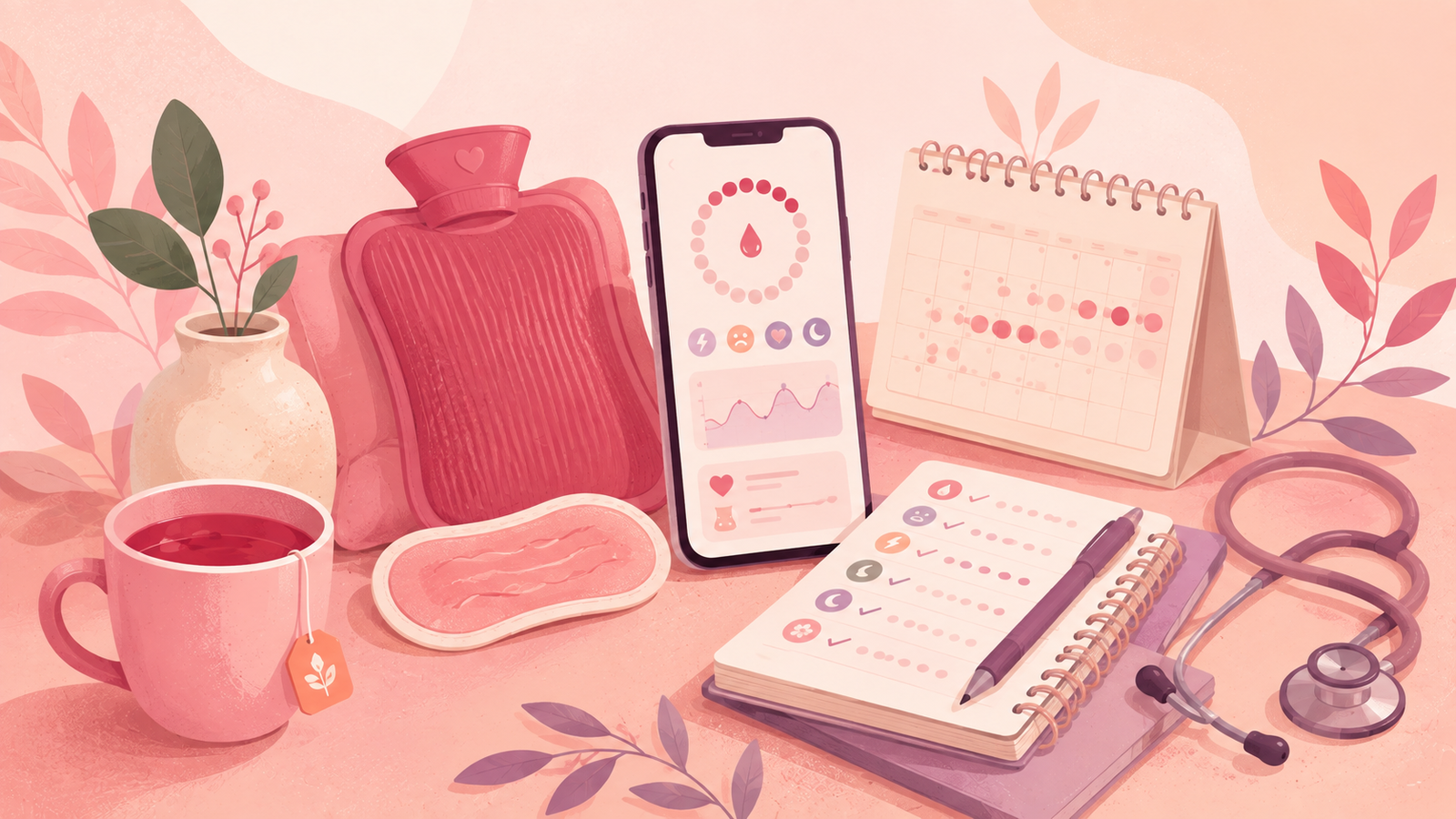
A period symptom tracker app can make a medical visit less awkward and more specific. Not because an app replaces your clinician. It does not. But because doctors often need timing, frequency, and pattern details to understand what you are describing.
Why tracking before a doctor visit helps
There is a big difference between:
“I get bad cramps sometimes.”
And:
“For the last three cycles, cramps started the day before bleeding, felt like 8 out of 10 pain on day one, and made me miss class twice.”
The second version gives your doctor something useful. It shows timing, severity, repetition, and impact on your life.
Tracking also helps when symptoms feel emotional or embarrassing. If you are nervous, you may downplay things. If you have notes, you can read from them. That is not weird. That is smart.
A good menstrual symptoms app can help you:
- Remember when symptoms started
- Notice whether they happen every cycle or randomly
- Separate one rough month from a repeated pattern
- Bring better questions to the visit
- Feel less rushed when explaining intimate details
- Avoid forgetting symptoms that matter
You do not have to become a cycle detective. You just need enough information to help the conversation become clearer.
What doctors usually want to know about your period
Before a visit, your goal is not to write a medical chart. Your goal is to capture the basics clearly.
Most period conversations start with a few core details:
- When your last period started
- How often your period usually comes
- How many days bleeding lasts
- Whether bleeding is light, medium, heavy, or unusually heavy for you
- Whether your cycle has changed recently
- Whether you have pain, spotting, discharge changes, mood changes, or other symptoms
- Whether pregnancy is possible
- Whether you use contraception
- Whether you take medications or supplements
- Whether symptoms affect school, work, sleep, sex, exercise, or daily life
If you track symptoms before gynecologist visits, you can answer these without guessing.
The magic is not in tracking everything. The magic is in tracking the things that explain your actual concern.
If your concern is pain, your notes should focus on pain timing, location, intensity, triggers, and what helps. If your concern is irregular bleeding, your notes should focus on dates, spotting, flow, and cycle length. If your concern is mood, your notes should connect mood shifts with cycle days, sleep, stress, and bleeding.
The most useful details to record before your appointment
Here is the practical list. If you only track these, you will already be ahead.
1. Period start and end dates
Record the first day of real bleeding as day one. Spotting before the period can be noted separately.
Track:
- First day of bleeding
- Last day of bleeding
- Number of bleeding days
- Whether the period came earlier or later than expected
- Any missed period
This helps your doctor understand your cycle length and whether your periods are becoming more irregular.
If your cycle seems to shift a lot, it can help to read about cycle length changes so you can tell the difference between occasional variation and a pattern worth discussing.
2. Flow heaviness
You do not need exact measurements. Use simple categories you can repeat.
Try:
- Light: pantyliner or light pad is enough
- Medium: regular pad or tampon changes feel normal for you
- Heavy: you need frequent changes, double protection, or bleeding disrupts your plans
- Very heavy: soaking through protection quickly, passing large clots, feeling dizzy, or feeling unsafe
Also record:
- Clots and approximate size
- Bleeding through clothes or sheets
- Needing to wake up at night to change protection
- Sudden increase compared with your usual flow
Heavy bleeding is one of those symptoms people often normalize for too long. If bleeding is intense enough to interfere with your life, write it down and tell your clinician plainly.
3. Pain and cramps
Pain notes are much more useful when they include severity and location.
Track:
- When pain starts
- Where you feel it: lower belly, back, pelvis, one side, legs
- Pain score from 0 to 10
- Whether it is dull, sharp, stabbing, burning, pressure, or cramping
- Whether pain comes with nausea, vomiting, diarrhea, dizziness, or fever
- Whether pain responds to heat, rest, movement, or medication
- Whether it stops you from normal activities
Be honest with the pain score. If you are curled up, sweating, vomiting, missing work, or unable to function, do not call it “just cramps.”
4. Spotting or bleeding between periods
Spotting can happen for many reasons, and not every episode means something serious. But timing matters.
Track:
- Date spotting happened
- Color: pink, red, brown
- Amount: only when wiping, liner needed, more like bleeding
- Whether it happened after sex
- Whether it happened around ovulation timing
- Whether you had pain, odor, fever, or pregnancy concern
- Whether it repeated across cycles
If this is your main concern, organize your notes around spotting between periods so the pattern is easier to explain.
5. Mood, energy, and mental symptoms
Mood symptoms count. You are not being “too sensitive” for tracking them.
Record:
- Anxiety
- Irritability
- Sadness
- Mood swings
- Crying spells
- Anger that feels unusual for you
- Low motivation
- Brain fog
- Sleep changes
- Food cravings
- Energy crashes
The key is to write when they happen. Do they show up 7 to 10 days before bleeding? The day before? During the first two days? Randomly all month?
Also note severity. “Felt low” is different from “could not get out of bed” or “had scary thoughts.” If you ever feel at risk of harming yourself, seek urgent help immediately. That is not a wait-and-see symptom.
6. Discharge, odor, itching, or irritation
Discharge changes can feel awkward to discuss, but they are normal medical information.
Track:
- Color
- Texture
- Amount
- Odor
- Itching
- Burning
- Pelvic pain
- Pain during sex
- Pain when peeing
- Fever
- New sexual partner or STI concern
Do not try to diagnose it yourself from the internet. Just write what you notice. If there is fever, pelvic pain, foul odor, pregnancy concern, or STI concern, contact a qualified clinician promptly.
7. Sex, contraception, and pregnancy possibility
You do not need to write intimate details you do not want to keep. But before a medical visit, it helps to know the basics.
Track privately:
- Whether you had sex since your last period
- Whether protection was used
- Missed pills or late contraception
- Emergency contraception use
- New contraception start date
- IUD, implant, injection, ring, patch, pill, condoms, or no method
- Pregnancy test date and result, if relevant
Doctors ask these questions because pregnancy possibility and contraception can change what symptoms mean and what tests or options make sense. It is not a moral judgment.
8. Medication, supplements, and lifestyle changes
Some changes in bleeding, mood, appetite, or symptoms may overlap with new routines.
Record:
- New medication
- Missed medication
- Supplements
- Emergency contraception
- Major stress
- Big sleep disruption
- Intense exercise change
- Weight change
- Travel
- Illness
You do not need to over-explain. A simple note like “started new acne medication on May 4” or “final exams week, sleeping 4 hours” can help.
How many cycles should you track before a visit?
If the appointment is already booked, bring whatever you have. One cycle of notes is better than none. Even a week of symptoms can be useful if it captures what worried you.
If the visit is not urgent, tracking 2 to 3 cycles often gives a clearer pattern. That gives enough time to see whether something repeats, improves, or changes.
But do not delay care just to collect more data.
Book care sooner if you have:
- Very heavy bleeding
- Severe pelvic pain
- Dizziness or fainting
- Fever
- Foul odor with pain or fever
- Pregnancy concern
- Positive pregnancy test with pain or bleeding
- Missed periods without explanation
- Bleeding after sex that repeats
- Symptoms that are getting worse
- Any symptom that feels unsafe
Tracking is preparation. It is not a reason to wait when your body is waving a red flag.
How to organize period notes so they are actually useful
Messy notes are normal. Your job is to make them readable enough for a short appointment.
Before your visit, create a simple summary in your app or notes. Keep it short.
The 5-line visit summary
Try this format:
- Main concern: “My periods became heavier and more painful over the last 3 cycles.”
- Timing: “Cycles were 31, 35, and 39 days.”
- Bleeding: “Bleeding lasted 6 to 8 days, with 2 very heavy days.”
- Symptoms: “Pain was 8 out of 10 on day one, plus nausea and back pain.”
- Impact: “I missed work once and had to cancel plans twice.”
That is enough to start a better conversation.
If you like writing more detail, use period tracker notes to separate daily observations from your final appointment summary.
Use dates, not vague time
Instead of:
“I spotted a lot recently.”
Try:
“Spotting happened June 8, June 17, and July 2. It was brown, mostly when wiping, no pain.”
Instead of:
“My cramps are worse.”
Try:
“Cramps were 6 out of 10 in April, 8 out of 10 in May, and 9 out of 10 in June.”
Dates make your story easier to follow.
Mention what is normal for you
Doctors do not know your baseline unless you tell them.
Useful phrases:
- “This is new for me.”
- “This has happened since my first period.”
- “My periods were usually regular until this year.”
- “I used to bleed 4 days, now it is 8 days.”
- “I used to manage cramps with heat, now I cannot stand up.”
- “My cycle has always varied, but this feels different.”
Your “normal” matters. A change from your normal is often the point.
What to track if you are nervous about your first gynecologist visit
First visits can feel intimidating, especially if you do not know what you are “supposed” to say. You are allowed to bring notes. You are allowed to ask questions. You are allowed to say you are nervous.
Before the visit, write down:
- Date of your last period
- Age when periods started
- Usual cycle pattern
- Main concern
- Symptoms you want to discuss
- Any sexual health questions
- Any contraception questions
- Any pain, discharge, missed periods, or bleeding changes
- Medications and allergies
- Questions you are afraid you will forget
If you are using an app to track period symptoms before doctor visit prep, make a short “doctor visit” note. This keeps the appointment from becoming a memory test.
Also, blunt truth: you do not need to impress your doctor with perfect vocabulary. Say it in normal language. “It burns when I pee,” “sex hurts,” “my cramps make me throw up,” “I bleed through my clothes,” and “my discharge smells different” are all valid medical statements.
What symptoms should not be ignored?
Most cycle changes are not emergencies, but some symptoms deserve faster care.
Do not ignore:
- Bleeding so heavy you soak through pads or tampons very quickly
- Feeling faint, dizzy, weak, or short of breath with bleeding
- Severe pelvic pain, especially if sudden or one-sided
- Pain with fever
- Foul-smelling discharge with pelvic pain or fever
- Positive pregnancy test with pain or bleeding
- Possible pregnancy with severe pain or heavy bleeding
- Missed periods for several months when you are not pregnant or on a method that commonly stops bleeding
- Bleeding after sex that keeps happening
- New pelvic pain with STI concern
- Symptoms that rapidly worsen
If something feels scary, do not wait for your next routine appointment. Seek urgent care or contact a qualified medical professional.
A tracking app can help you describe the symptom clearly, but it cannot decide whether you are safe. When in doubt, get human care.
How Flow & Glow can help you prepare without spiraling
The best period symptom tracker app is not the one that makes you obsess over every tiny sensation. It is the one that lets you record what happened and move on with your day.
For doctor visit prep, Flow & Glow can help you keep:
- Period dates in one place
- Symptom notes by cycle
- Flow and pain patterns
- Spotting notes
- Mood and energy observations
- Private notes for questions
- A cleaner timeline for your appointment
The point is calm clarity.
You are not tracking because your body is a problem to solve perfectly. You are tracking because your memory deserves backup, especially when appointment time is short and symptoms are personal.
A good note might look like:
“Day 1: Heavy bleeding, cramps 8 out of 10, nausea, used heat pad, took usual pain relief, missed class.”
Or:
“Day 22: Light pink spotting after sex, mild cramps, no fever, worried because it happened last cycle too.”
Or:
“Week before period: anxiety higher than usual, poor sleep, cried twice, improved after bleeding started.”
That is not overthinking. That is useful context.
What not to do before the appointment
Preparation helps. Panic research usually does not.
Try not to:
- Diagnose yourself from search results
- Ignore severe symptoms because an app prediction looks “normal”
- Delete notes because they feel embarrassing
- Downplay pain to seem tough
- Track 40 details if 5 would answer the real question
- Delay care when symptoms are intense
- Assume every cycle change means something terrible
Your notes are not a verdict. They are a starting point.
If you want a structured way to think through symptoms without jumping to conclusions, a period symptom checker can help you decide what to write down and what to ask about.
A simple 7-day prep plan before your doctor visit
If your appointment is coming up soon, use this quick plan.
7 days before
Open your app and review your last few cycles. Note period start dates, end dates, and anything unusual.
6 days before
Write your main concern in one sentence. Example: “My periods are suddenly heavier and more painful.”
5 days before
Add symptom details: pain score, flow heaviness, spotting, discharge, mood, nausea, headaches, or fatigue.
4 days before
Add context: contraception, sex, pregnancy tests, new medication, stress, travel, sleep changes, or illness.
3 days before
Write down what changed from your normal. This is often the clearest part of your story.
2 days before
Make a short question list. Put the most important question first.
1 day before
Create your 5-line summary. Screenshot or save it somewhere easy to open.
Done. No spiral required.
Example period notes for doctor visits
Here are examples you can copy and adapt.
Example for heavy bleeding
“Main concern: My bleeding has become heavier over the last 3 cycles. My last period started July 3 and lasted 8 days. Days 2 and 3 were very heavy. I soaked through protection twice and passed clots around the size of a coin. I felt tired and lightheaded. This is heavier than my usual period.”
Example for severe cramps
“Main concern: Cramps are getting worse. Pain starts the night before bleeding and peaks on day 1. Last cycle it was 9 out of 10 and I vomited once. Heat helped a little. I missed work. This has happened for 3 cycles.”
Example for irregular periods
“Main concern: My cycle timing has changed. My last cycles were 28, 34, 41, and 37 days. I am not sure why. I started a new workout routine in May and had high stress during exams. No positive pregnancy test.”
Example for spotting
“Main concern: Spotting between periods. I noticed brown spotting on June 12, June 19, and July 6. Mostly when wiping. One time it happened after sex. Mild cramps, no fever. It is new for me.”
Example for mood symptoms
“Main concern: Mood changes before my period. For the past 4 cycles, I get intense anxiety and irritability about a week before bleeding. It improves after my period starts. It is affecting my relationship and school focus.”
Privacy matters when you track intimate symptoms
Period notes can include sensitive information: sex, pregnancy concerns, discharge, mood, pain, and health questions. You deserve to track that privately.
Before choosing any menstrual symptoms app, think about:
- Whether you feel comfortable entering personal notes
- Whether the app is easy enough to use consistently
- Whether you can avoid overtracking
- Whether you can quickly find notes before a visit
- Whether the app supports the kind of symptoms you actually care about
Also protect your own privacy in simple ways:
- Use a phone passcode
- Avoid writing names or details you do not need
- Keep notes factual
- Screenshot only what you are comfortable showing
- You can read notes aloud instead of handing over your phone
Your doctor does not need your whole life. They need enough information to help you safely.
The best app is the one you will actually use
The best app to track period symptoms before doctor visit prep is not always the most complicated one. It is the one you will open when you are tired, crampy, busy, or annoyed.
Look for:
- Fast daily symptom logging
- Easy period date tracking
- Notes you can customize
- Clear cycle history
- A private, low-pressure feel
- No shamey language
- No scary overpromising
- Simple summaries you can review before a visit
If an app makes you feel more anxious, simplify how you use it. Track only the few symptoms tied to your concern.
For example:
- Heavy bleeding concern: dates, flow, clots, dizziness, impact
- Pain concern: pain score, location, timing, medication, impact
- Spotting concern: date, amount, color, sex, pain, repeat pattern
- Mood concern: timing, severity, sleep, stress, impact
- Irregular cycle concern: start dates, missed periods, pregnancy tests, major life changes
You are allowed to track less. Clear beats complete.
Questions to bring to your doctor
Once your notes are ready, write your questions. This keeps the appointment focused.
Useful questions include:
- “Is this amount of bleeding normal for me?”
- “What symptoms would mean I need urgent care?”
- “Could my contraception be affecting this?”
- “Should I take a pregnancy test or STI test?”
- “What can I do for pain that is interfering with my life?”
- “Are there tests you recommend based on this pattern?”
- “What should I track before the next visit?”
- “When should I follow up if this continues?”
If you feel dismissed, it is okay to repeat the impact clearly:
“This pain is making me miss work.”
“This bleeding is not normal for me.”
“I am worried because this is new and repeating.”
You are not being difficult. You are giving important information.
Article information
- Written by Flow & Glow Editorial
- Medically reviewed by Dr. Jennifer Martinez, MD, FACOG
- Published on July 6, 2026
- Updated on August 3, 2026
Key takeaways
- The best app to track period symptoms before doctor visit prep is one that helps you record patterns privately, quickly, and consistently.
- You do not need perfect notes. A few clear details from the last 2 to 3 cycles can be very useful.
- Track period start dates, bleeding heaviness, pain, spotting, mood changes, discharge changes, missed periods, sex, contraception, medication, and symptoms that worry you.
- Use your notes to describe what happened, when it happened, how intense it felt, and whether it changed your normal routine.
- Tracking is not self-diagnosis. It is preparation so your appointment can move faster and feel less vague.
- Get urgent medical help if you have severe pain, very heavy bleeding, fainting, dizziness, fever, foul odor, pregnancy concern, or symptoms that feel unsafe.
Frequently asked questions
What is the best app to track period symptoms before doctor visit prep?
The best app is one that lets you quickly record period dates, flow, pain, spotting, mood, discharge changes, sex or contraception notes, and personal questions. Flow & Glow is useful because it keeps cycle and symptom details together, so you can review them before your appointment instead of relying on memory.
How long should I track symptoms before a gynecologist visit?
If symptoms are not urgent, tracking 2 to 3 cycles can show a clearer pattern. But if your appointment is soon, bring whatever you already have. If you have severe pain, very heavy bleeding, dizziness, fever, pregnancy concern, or symptoms that feel unsafe, do not wait just to collect more notes.
What period notes for doctor appointments are most important?
Start with your last period date, cycle length, bleeding days, flow heaviness, pain level, spotting, discharge changes, mood symptoms, missed periods, contraception, pregnancy possibility, medication changes, and how symptoms affect daily life. Your main concern should be easy to understand in one or two sentences.
Should I show my doctor my period tracker app?
You can, but you do not have to hand over your phone. Many people prefer to read a short summary from the app or show a screenshot of cycle dates and notes. Choose what feels comfortable. The goal is to communicate clearly, not expose every private detail.
Can a menstrual symptoms app tell me what condition I have?
No. A menstrual symptoms app can help you notice patterns and prepare better questions, but it cannot diagnose you or replace medical care. Use it as a private record, then talk with a qualified clinician about symptoms that worry you.
What symptoms should I call a doctor about quickly?
Call promptly or seek urgent care for very heavy bleeding, severe or sudden pelvic pain, fainting, dizziness, fever, foul-smelling discharge with pain or fever, positive pregnancy test with pain or bleeding, possible pregnancy with heavy bleeding, or symptoms that rapidly worsen.
What if my notes are messy or incomplete?
Bring them anyway. Messy notes are still better than guessing. Before the visit, turn them into a short summary: main concern, dates, bleeding pattern, symptoms, severity, and impact on your life. Your doctor can ask follow-up questions from there.
References
Editorial and medical disclaimer
Flow & Glow health content is educational and is not a substitute for diagnosis, treatment, or personal medical advice from a qualified clinician.
Our editorial standards, reviewer process, sourcing approach, and correction process are explained in the Editorial Policy. You can also review our authors and medical reviewers, healthcare professional information, contact page, and privacy policy.